
A routine task that kept getting postponed
A data lake in Cloudera Data Platform holds a company's data and the security and compute around it. Upgrading its runtime is routine maintenance, but it takes planning.
Workloads stop, and every Data Hub cluster has to be stopped first.
Prerequisites showed up too late.
A failed upgrade without backup loses metadata.
Admins had to work all of this out on their own, and many chose to wait. Each delay left the environment further behind on security fixes and made the next upgrade bigger.
Talking to the people who sit with customers
Admins are hard to reach directly, so I spent the first month with the people who hear their problems every day: Cloudera's sales engineers and customer stakeholders.
With sales engineers.
How peers handle upgrade risk.
Clustered from the interviews.
Read the interview synthesis: quotes and affinity map
What I kept hearing
"Customers don't know what's going to happen when they click upgrade. So they don't click it."Sales engineer
"The upgrade failed because a Data Hub was still running. Nothing told them to stop it first."Sales engineer
"We need to plan a window and explain it upward. We can't do that if we don't know how long it takes."Customer stakeholder
Affinity map: four themes
Can't see ahead readiness
Can't plan for it planning
Might lose data recovery
Fall behind drift
Four insights that shaped the design
The upgrade worked. Information didn't.
Admins must justify the window first.
A step on another tab gets skipped.
Nothing said a new version existed.
Who I designed for
A composite of the Environment Admins described across the interviews.
Marcus
Environment Admin · owns his company's CDP environments
"Before I click upgrade, I want to know it'll work and how long it'll take. Otherwise I'd rather wait."
Goals
- Keep environments secure and current
- Plan a window he can defend to the business
Frustrations
- Upgrades failing on prerequisites nobody mentioned
- No idea how long it will take
See the stakeholders
Who else it had to work for
Current-state journey: where confidence drops
Can this wait?Hears about new versions late, or never
How long will it take?Guesses what will change
Did I miss a step?Checks prerequisites from memory
Is it working?Clicks upgrade and waits
Where's my data?Reads logs, opens a ticket
Main jobs to be done
When a new runtime is out, I want to know I'm ready before I commit.
Before I upgrade, I want my data backed up without leaving the flow.
When I plan an upgrade, I want to see what changes and how long it takes.
From "I'd rather not" to "I'm ready"
Admins started upgrades without knowing if they were ready, with backup on another tab and no signal that a newer version existed.
How might we turn an upgrade admins postpone into a planned operation they're confident to run?
Challenges
Checks had to be real
Agreed with engineering what to validate.
It had to fit the console
Built to Cloudera Design System rules.
Two months, one designer
Focused on what built confidence most.
Opportunities and solutions
Runs first, with no downtime.
Each cluster to stop, with a link.
Current vs target, support window and estimated time.
Recommended inside the flow.
Stays until the lake is current.
The flow always
- Checks readiness with no downtime
- Names what's blocking, with a link
- Recommends a backup first
The flow never
- Starts before readiness is known
- Fails with "something went wrong"
- Nags with a popup to dismiss
No path ends at a dead end
The system checks what it can before the admin commits.
Low-fidelity wireframes
Greyscale, to test structure before style. Blue marks what I redesigned. Tap a pin to see its note.
Built on the Cloudera Design System
Built from Cloudera's existing components, with each safety step in its own card so the page reads top to bottom.
Navy, blue and info tint from the Cloudera Design System. Red only for the badge.
Click through the real screens
Pick a journey and click where an admin would.
The pattern that outlived the project
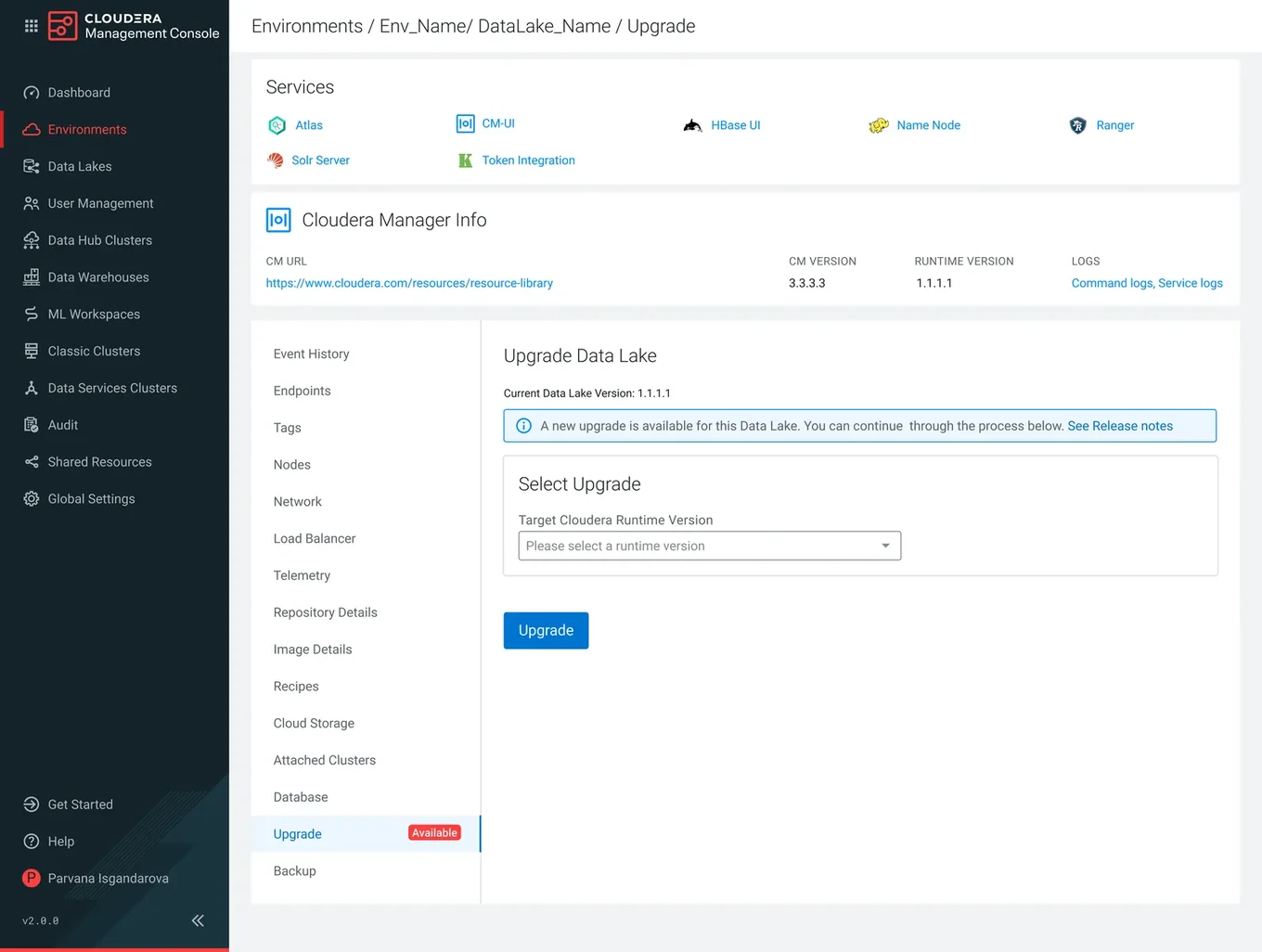
Horizontal tabs couldn't hold the features on the roadmap. I made the case for vertical tabs.
Each new feature pushes the rest behind "More".
All sections stay visible as new ones arrive.
How it got into the system
The trade-offs I made on purpose
Shipped, documented, and adopted
I left before launch metrics came in. Here's the shipped work, and how I'd measure it.
How I'd measure success
How I'd measure success
| Area | Intended outcome | Indicator | How I'd measure |
|---|---|---|---|
| Readiness | Fewer failed upgrades | Upgrades that fail on a prerequisite | Failure rate for upgrades with and without Validate and Prepare first |
| Recovery | More upgrades with a restore point | Backup attach rate | Share of upgrades started with Backup with Upgrade on |
| Self-service | Admins fix blockers themselves | Clicks from failure links to clusters | Validation failures resolved without a support ticket |
| Currency | Environments stay current | Time behind the latest runtime | Median days between release and upgrade, before vs after |
| Support | Fewer escalations | Upgrade-related tickets | Ticket volume and sales engineer escalations per quarter |